Over the past year, it’s been impossible to ignore the hype around AI coding tools. Headlines promised that AI tools would “redefine programming” and “let developers focus only on ideas, not code.” Friends and colleagues were raving about how AI was writing entire components for them in seconds. Naturally, I wanted to see for myself if these tools could really change the way I build apps.
My first test was building a mobile app using Flutter and Firebase. This should have been simple: with the built-in tools, you can spin up a working project with just two lines in the terminal. But when I asked AI to do it, things went downhill. Instead of giving me the straightforward setup, it spent hours trying to “engineer” a project structure. The result? Broken code, mismatched dependencies, and a project that wouldn’t even compile. I eventually gave up and went back to the manual two-line setup – which worked instantly.
That said, once the project was up and running, I found that for the mobile app things generally worked. AI could generate UI components, basic Firebase hooks, and navigation code with reasonable success. adding more and more screens and functionality was a breeze. It wasn’t perfect, but it saved some time, especially this is something I don’y usually do and I would have spent hours figuring out how thing should be done.
there were moments when it actually surprised me. While setting up authentication, it proposed a few field structures I hadn’t considered. They weren’t perfect, but they made me think differently about my data model. It felt less like “cheating” and more like brainstorming with a slightly eccentric colleague.
Over the last few weeks, I’ve been putting focused effort into something engineers rarely talk about out loud: marketing myself.
After more than 25 years working in embedded systems — building firmware, debugging hardware, leading teams, and running companies — I’ve shifted my focus to freelance work. My goal: help teams and startups go from idea to working prototype with minimal fuss.
But having skills isn’t enough. People need to find you, trust you, and understand what you can offer. So I rolled up my sleeves and treated my freelance career like a product:
I recently embarked on a small-scale production run of a PCB with SMT components. To keep costs down, I ordered the PCBs and components separately from China and took on the soldering process myself.
As a hobbyist, I’ve always found this approach quite manageable. I typically use a syringe with solder paste, applying it manually while using my phone as a microscope since the pads are so small. This method has served me well for years when working on one or two boards at a time. However, this time, I had a batch of ten units—and what used to be a quick task turned into an all-day endeavor.
Being an engineer at heart, I immediately started thinking about ways to optimize the process.
In the world of aviation, communication between pilots and air traffic controllers is crucial for safe and efficient operations. For aviation enthusiasts & radio hobbyists, listening in on these transmissions can be fascinating and insightful for many reasons,
While it may be tempting to use a simple off-the-shelf walkie-talkie style receiver or scanner to listen in on air traffic communications, doing so in or near an airport can be problematic. More importantly, airport security and aviation authorities generally view the use of such devices with suspicion. In some cases, they may even be prohibited in certain areas of an airport due to concerns about security and interference with official communications. even if your intentions are pure and have the proper equipment, trying to explain that to a concerned security officer can turn to be a headache.
I was happy. I was extremely happy. 3 months of hard work had finished and the package containing 40 units of the product I was working on was shipped to the customer.
I’ve tracked the packed and verified it arrived at the warehouse where it was to be tested before installed at the first beta site. so I checked my email every day for news about what’s going on. i’ve checked it multiple times a day. and then the phone rang. on the line was the client’s technical manager, and the system was not functioning all that great. from what he described, it sounded like it’s stuck in a loop. this shouldn’t have happened and I felt horrible.
During my years in product development, I’ve discovered many things they don’t teach you in school. One of the most significant revelations is that the part of the process that takes the most time is verifying that your product actually fits all stakeholders’ needs.
This is a tricky part for two reasons. First, it involves human beings. Figuring out the technologies needed for many commercial solutions is relatively straightforward. The laws of physics are well known, and for many technologies, there are standards and specifications. People, however, don’t come with manuals.
The second reason is that you can’t always identify a single user. It might be the person who presses the button or the one answering the call. You need to ensure it is easy for the installer to put in and for the maintenance personnel to replace the batteries with ease. You might also want to consider how your product will survive water splashes when the room it’s in is cleaned.
Many times when I drive home there something good on the radio that I want to continue to listen when I enter my house. alas, I have no radio attached to my speakers, just an amazon echo device. I’ve tried to build a matching looking FM receiver, but I couldn’t resolve the ground noise issues so I didn’t use it all that much. following some articles I read on line I’ve decided to try again, this time with a internet streaming device.
hardware
I’ve decided to base the radio around a raspberry pi 4, which i had many laying around, and there are many ready made software solutions. I’ve added a 5″ touchscreen for the UI which was reasonably priced and added to the light industrial look of my HiFi speakers. it plugs into the MIPI display port and works out of the box without requiring installing any drivers.
software
there are many options available, but this is a quick and easy project, so I’ve narrowed down the options to Volumio and mo0de, both having a ready to burn image on the raspberry pi SD card imager.
נועם הוא ילד בן 13. ואם יש משהו שבאמת חשוב לילדים בגילו, זה כמובן לנצח את כל החברים שלו במשחקי מחשב. לכן הוא מתאמן כל היום להקליק על הכפתור של העכבר ברצף כמה שיותר מהר כדי לירות ולחסל את האויבים שלו.
אז יום אחד הוא חשב על רעיון לבנות קופסא עם כפתור שיעשה את הפעולה הזו בשבילו. לדעתו, והוא מכיר את השוק הזה מבפנים, זה מוצר שיכול למכור מליונים
אני די בטוח יש איזה עכבר גיימרים שעושה את זה בדיוק, אבל אבא של נועם הוא חבר טוב אבל מאותגר טכנולוגית, וחוץ מזה הילד ביקש עזרה מהדוד הכי אהוב עליו, איך אני יכול לסרב ?
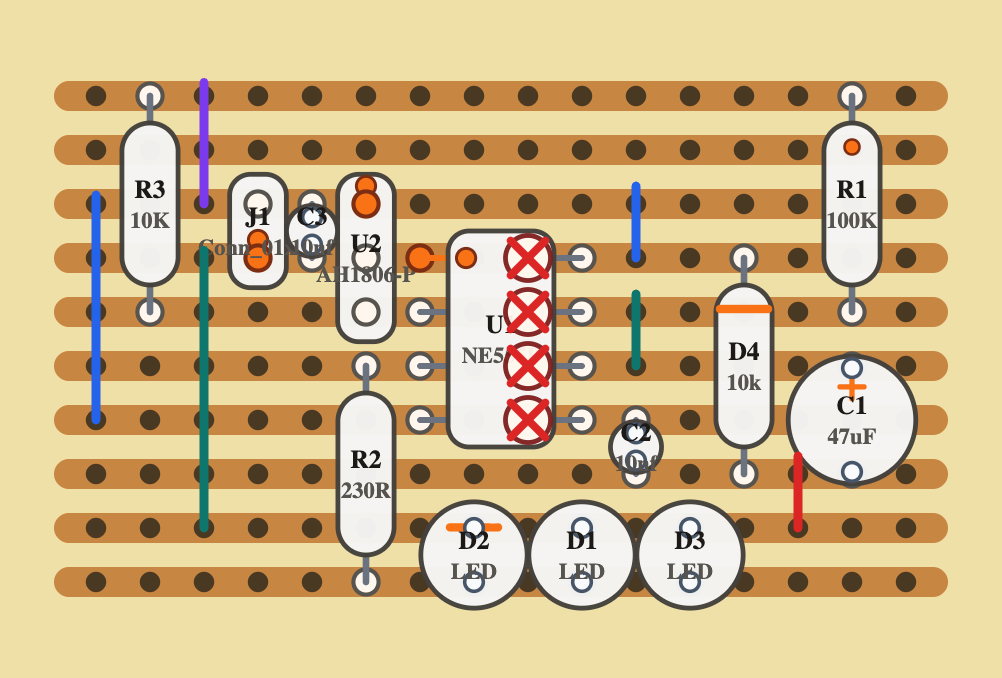
לוחות ניסוי לבניה של מעגלי אלקטרוניקה (boardboards בלעז, או מטריצות בפי העם) הם דבר נפלא. הן מאפשרות לך לבנות מעגלים בזריזות. כשלימדתי תלמיד בית ספר לתכנת בארדואינו יכולתי לבוא כל שבוע עם רעיון חדש של רכיבים שרציתי לחבר ואת הכל בנינו על מטריצות שפרקנו בסוף השיעור. גם היום אני משתמש בהן כדי לבדוק רעיונות שאני לא בטוח בהם לפני שאני מדליק את המלחם ובונה מעגל ממש (בדרך כלל בstripboard שזה הבן דוד של המטריצה)
לאחרונה מרגיש שבא לי לחזור לקרוא. כילד הייתי קורא המון, ועם השנים זה הלך ופחת. ועדיין זה נורא כיף לשקוע לעולם חלופי בין דפי הסיפור.
כדי לחסוך בעלויות ולמנוע כריתת עצים ניסיתי לפני כמה שנים לקרוא ספרים דיגיטאלים באייפד, אבל זה לא היה זה. אז הפעם העלתי מהאוב מכשיר קינדל שהיה שייך לאשתי. אולי הטכנולוגיה של המסך e-ink תעשה את ההבדל